LockIn
Block Reels, not your friends. LockIn stops the short-video feed inside an app and leaves the rest of the app working, and blocks whole apps, websites and keywords besides. All of it is decided on the phone: no account, no server of its own, no analytics.
- Android
- accessibility service
- Reels · Shorts · TikTok
- none
- none
- free · Pro
The problem
An app blocker can usually only block an app. But Instagram is also where your friends write to you, and YouTube is where the video you actually needed lives. Block the whole app and you block the reason you opened it. The part worth blocking is the feed built to keep you there, so that is the part LockIn blocks.
Short videos
Reels and Shorts are blocked inside their apps. Messages, search and ordinary videos keep working.
| App | What is blocked |
|---|---|
| YouTube | Shorts |
| Reels | |
| Reels | |
| TikTok | the whole app |
What LockIn looks for on screen is kept as data — a rule pack with app version ranges — rather than written into the code. Apps redesign their screens all the time, and when an update breaks a match, the fix is a new rule rather than a rewrite.
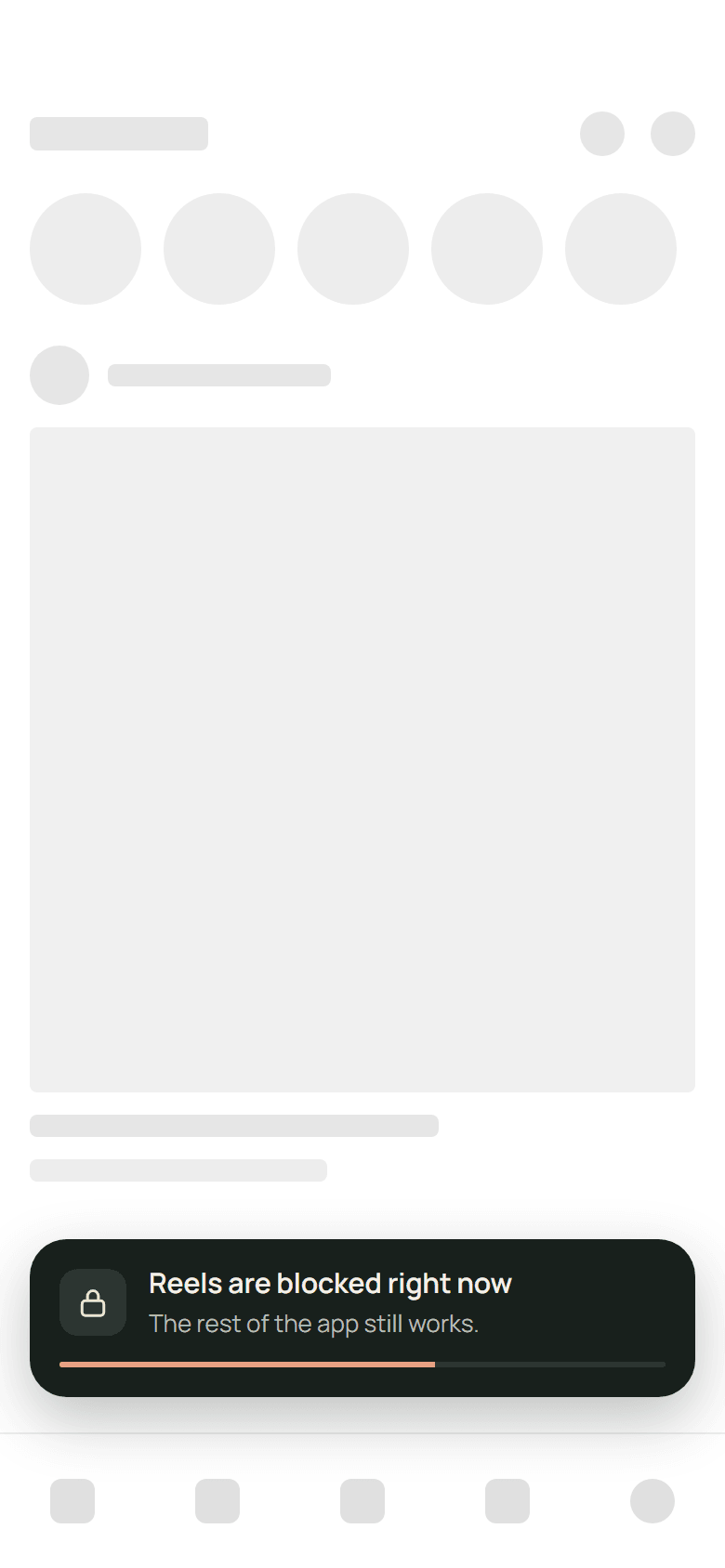
A short-video player opens
LockIn reads the screen through Android's accessibility service and recognises the player, not just the app it sits in.
LockIn presses Back
Or Home, if Back does not get out of the player.
And says so, for three seconds
A small blocked notice, and then it is out of the way.
What it does
Block lists
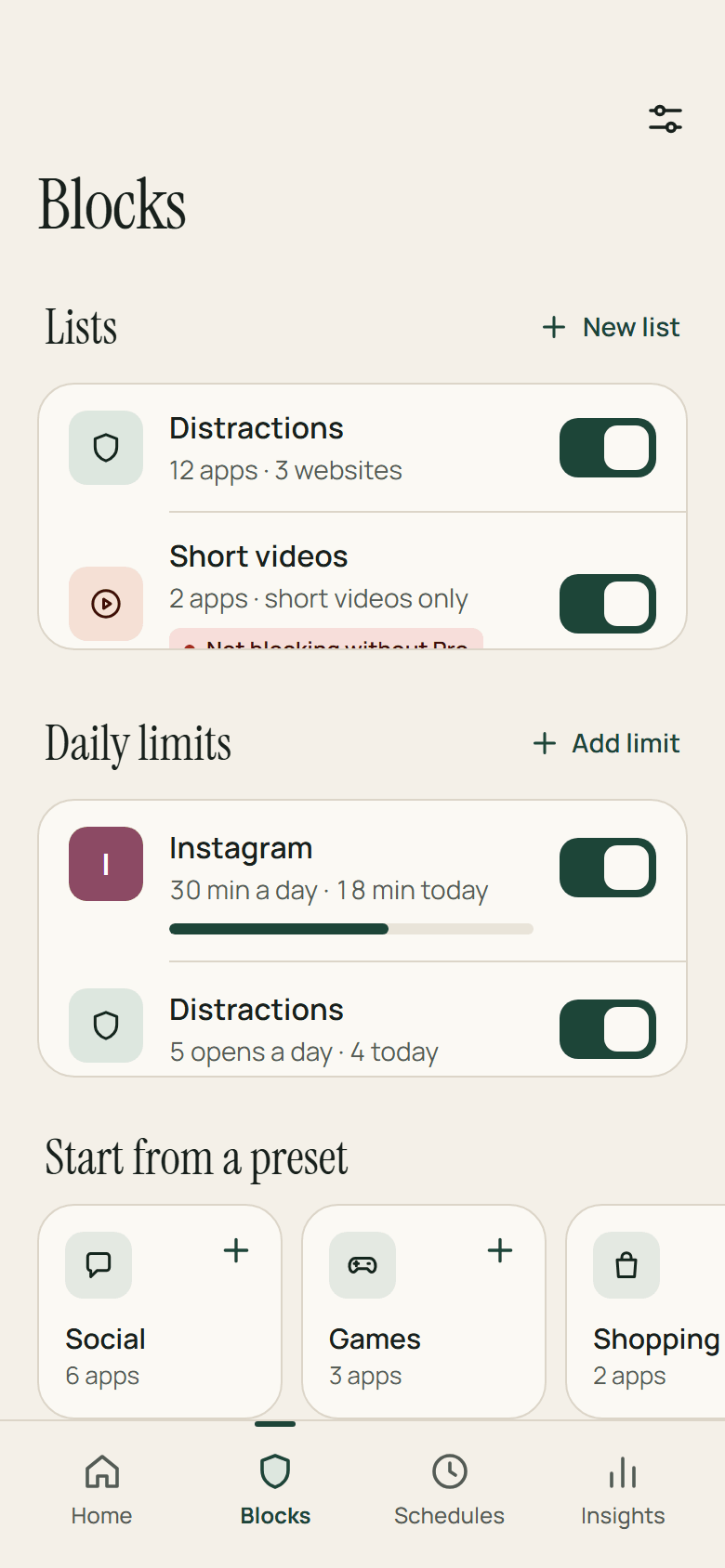
Each list is its own set of apps, websites and keywords, with a name, an icon, a colour, a friction level and a switch of its own. Start from a preset — Social, Short videos, Games, Shopping, News — or from a searchable picker of what is installed.
Websites and keywords
Read from the address bar in Chrome, Samsung Internet, Brave, Edge, Firefox and Opera, incognito tabs included. A domain covers its subdomains, and a keyword matches anywhere in the address. Leaving a blocked page goes back a page, not to the home screen.
Daily limits
Time, number of opens, or both — thirty minutes of Instagram a day, say. A warning at 80%, a block at 100%, and a reset at local midnight.
Schedules
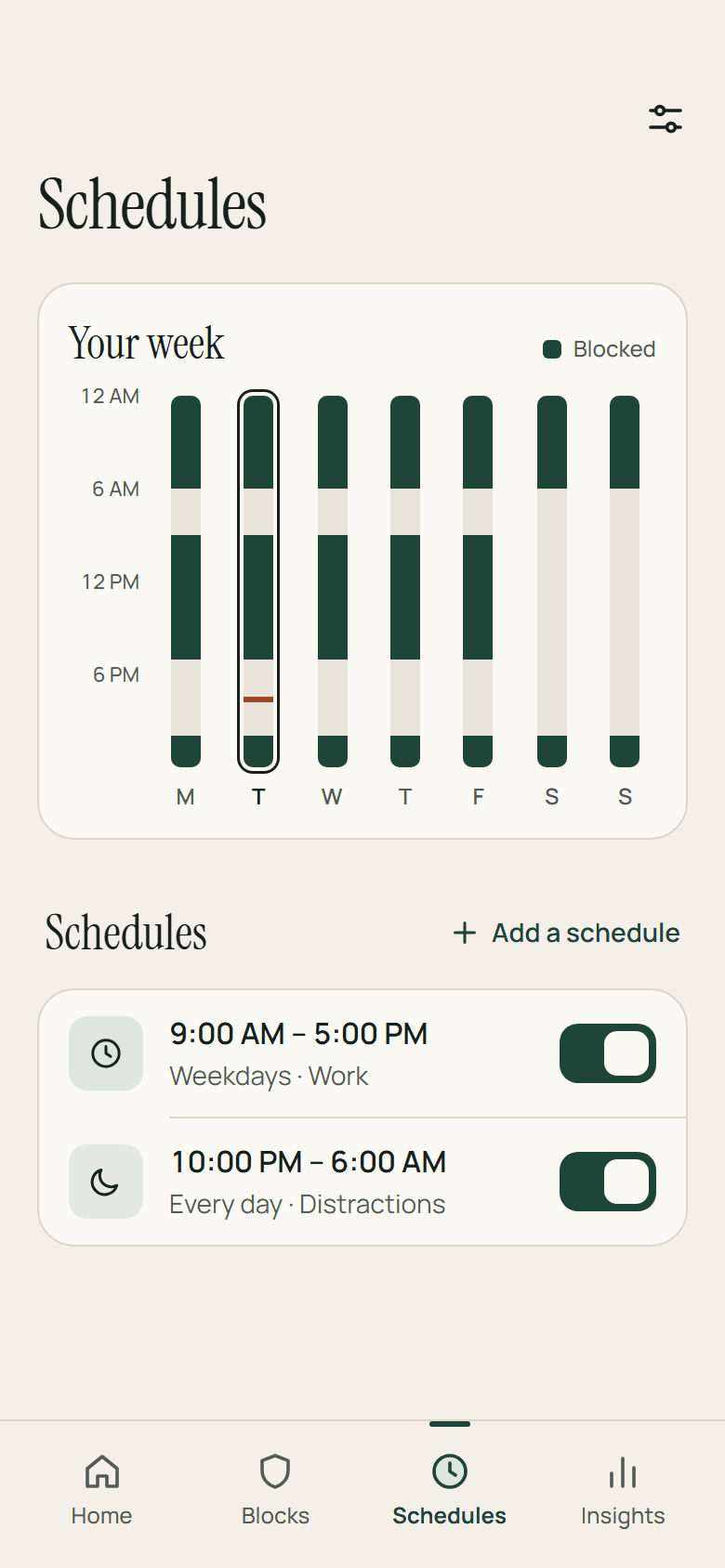
Days, a start and an end, including ranges that cross midnight like 10 PM to 6 AM, each with the lists it applies. Checked on every app switch, so it needs no exact alarms.
Focus sessions
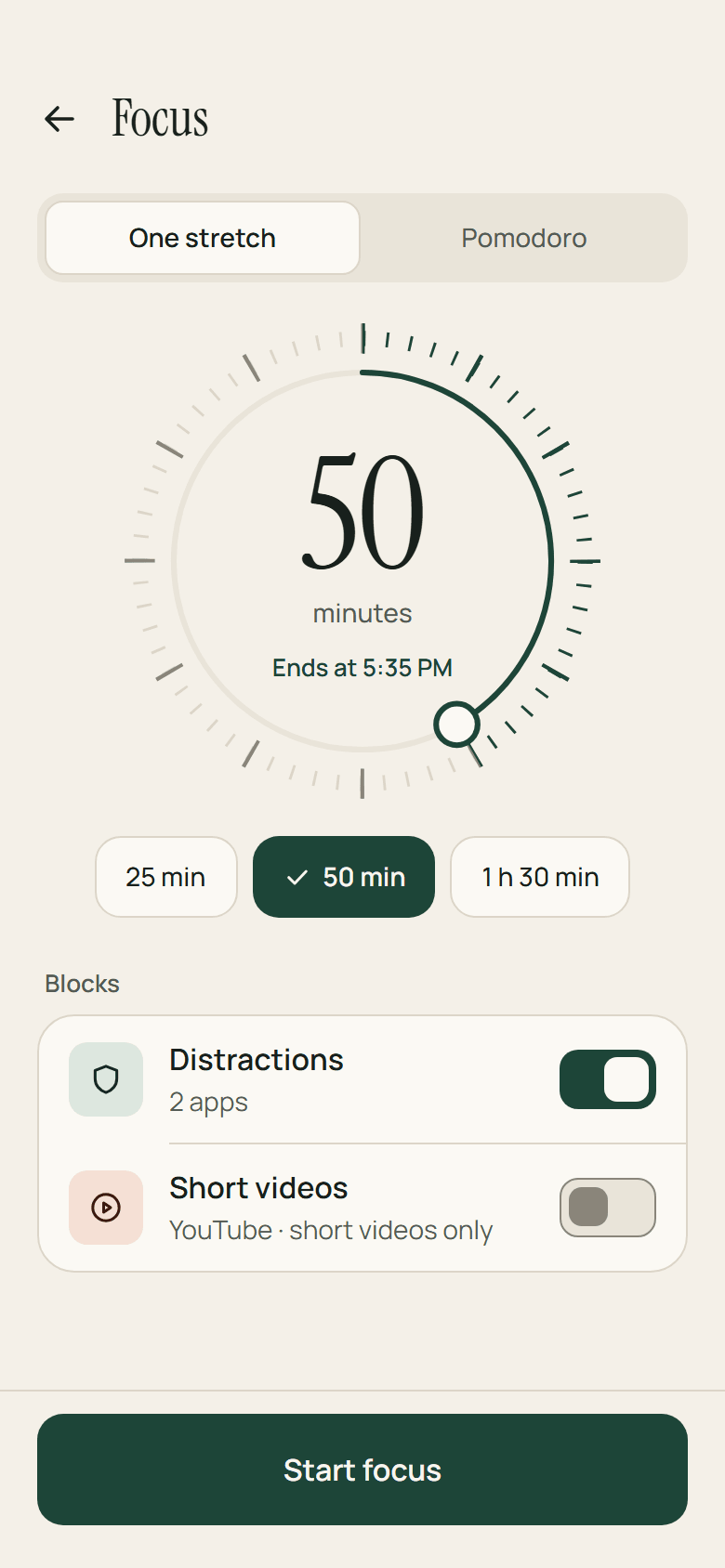
25, 50 or 90 minutes, a length of your own, or Pomodoro rounds with breaks. The countdown is a notification the system ticks down by itself, so nothing runs as a foreground service for it. A Quick Settings tile starts your last setup again.
Home and insights
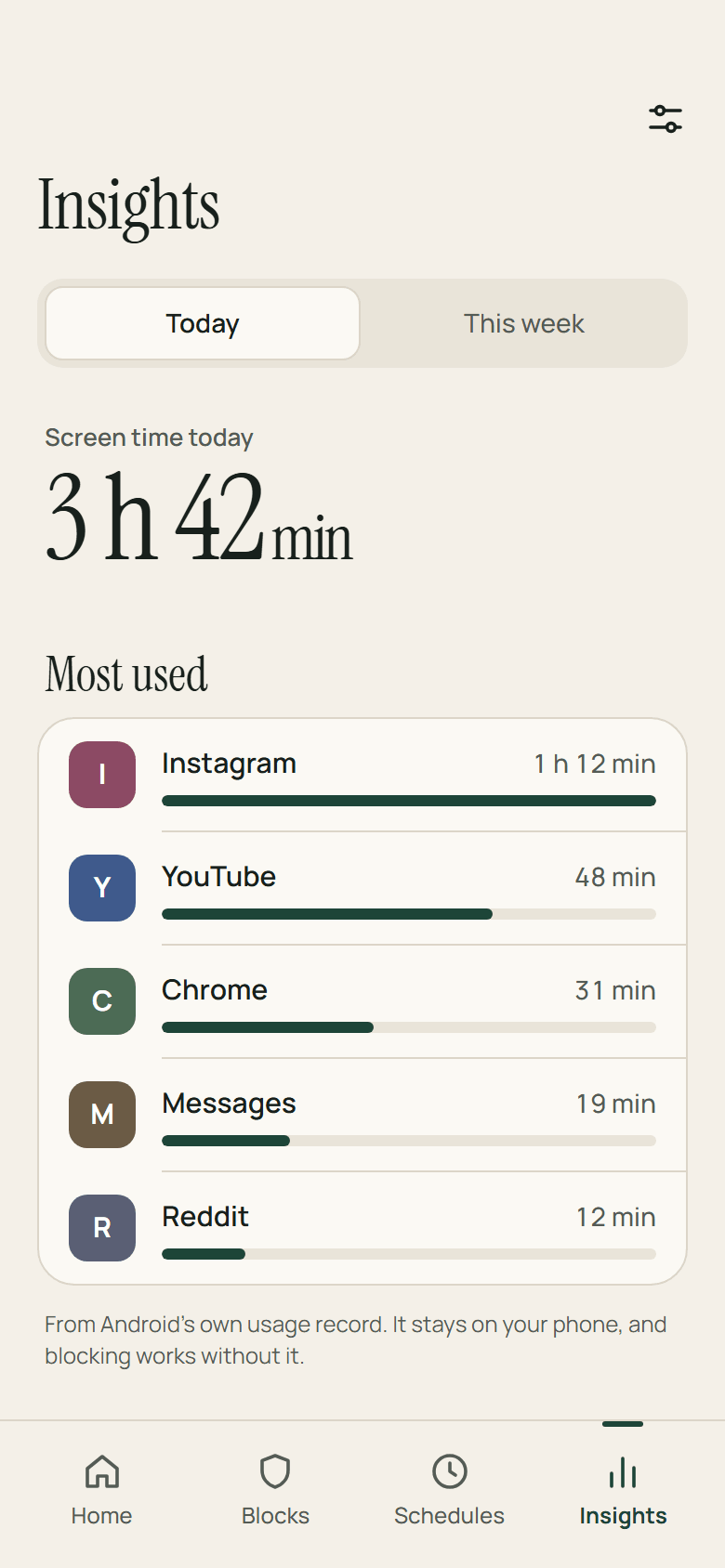
Today's blocks, an estimate of time saved, your streak, and whatever schedule or session is running. Screen time — the top five apps today and this week — needs usage access, which is optional. Blocking never depends on it.
Protection health
A permissions checklist, and a red banner and a notification when protection is off. Checks run every hour and after a reboot, so a gap is reported rather than discovered.
Apps first, permissions second
Three welcome screens, and you pick your first apps before any permission is asked for. Then Google Play's accessibility disclosure, the setup itself, notifications, and a step for your phone's battery settings, all under one progress bar.
The block screen
The block screen asks for more each time you push past it.
A pause
A breathing pause, then a button: open for five minutes.
A phrase
Type a phrase out before it lets you in.
Locked
Locked until tomorrow. There is no button.
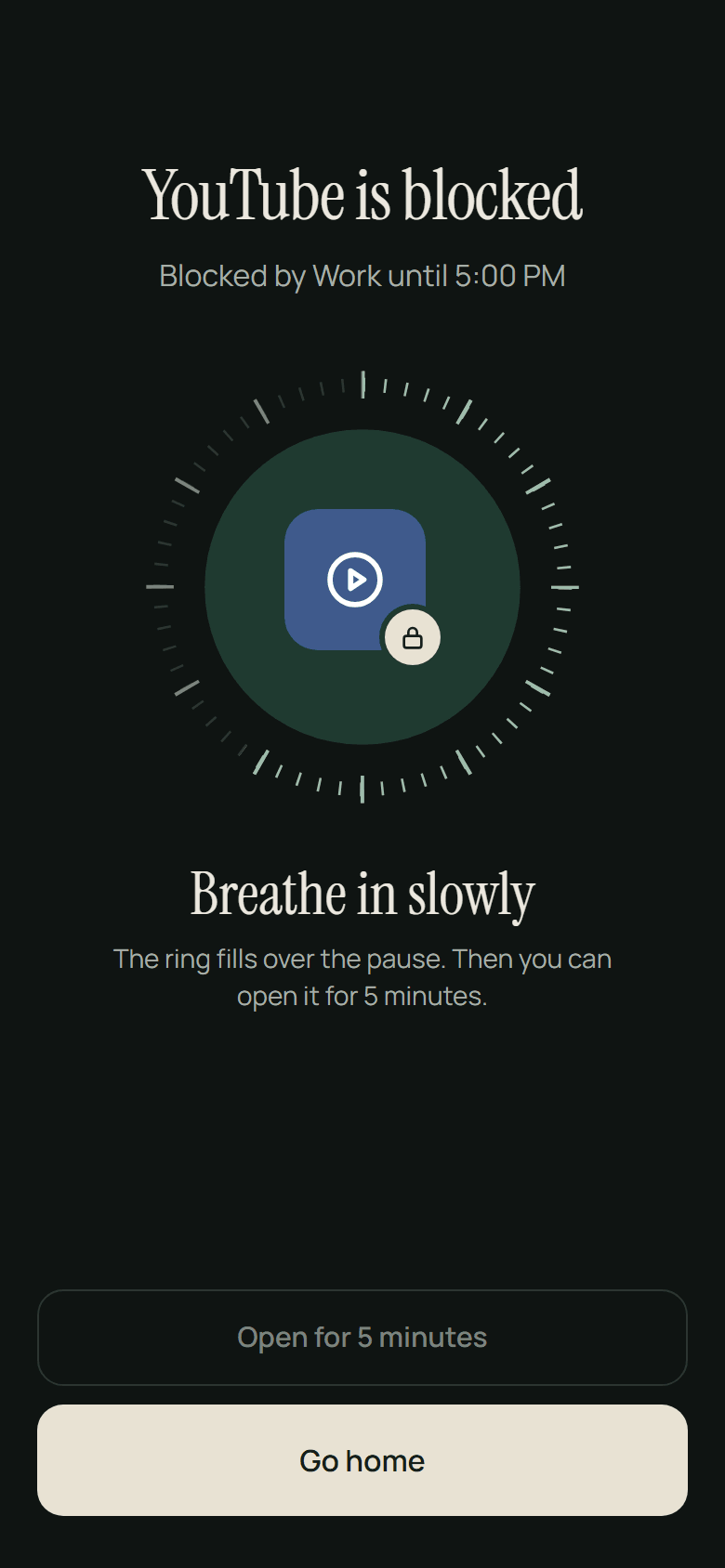
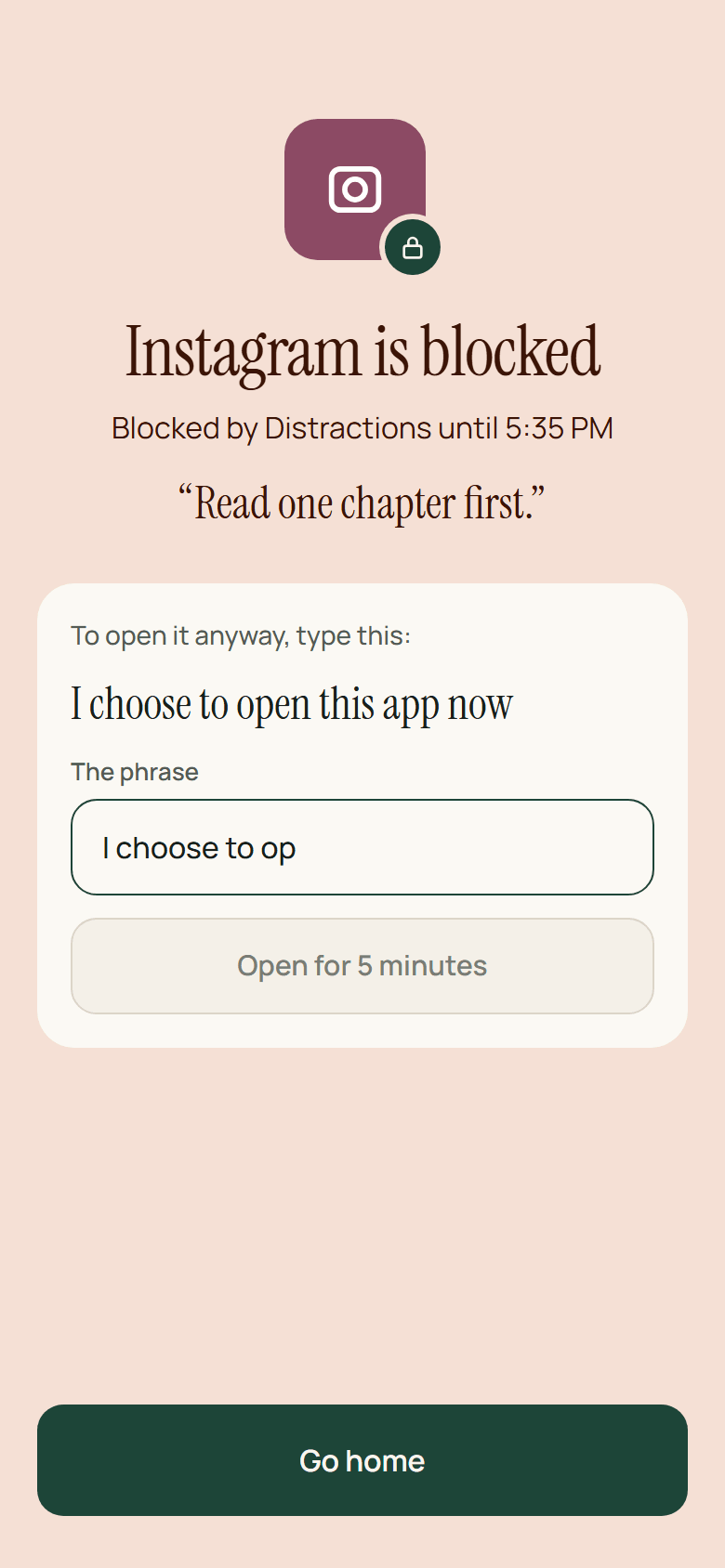
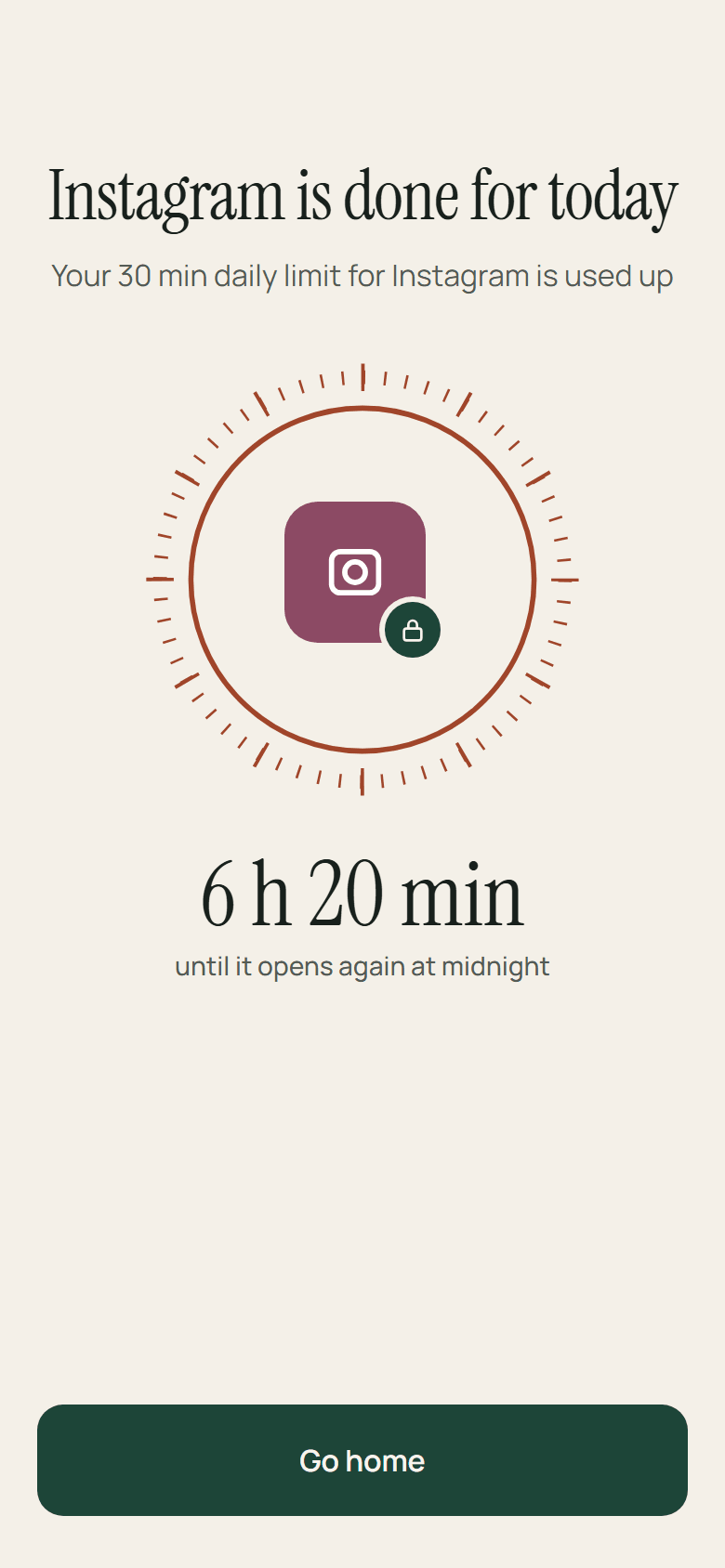
It says why. The app's icon, the reason — “Blocked by Work until 5:00 PM” — and the time left on a dial.
It can look like yours. Your own message, a colour or a photo.
Or send you somewhere else. Redirect mode opens an app you chose instead, like a reading app.
It reads for everyone. TalkBack and large fonts are supported, with haptics and a soft entrance.
It holds at the edges. Split screen, picture-in-picture, and the Xiaomi case where an app reopened from the home screen used to slip past.
Strict mode
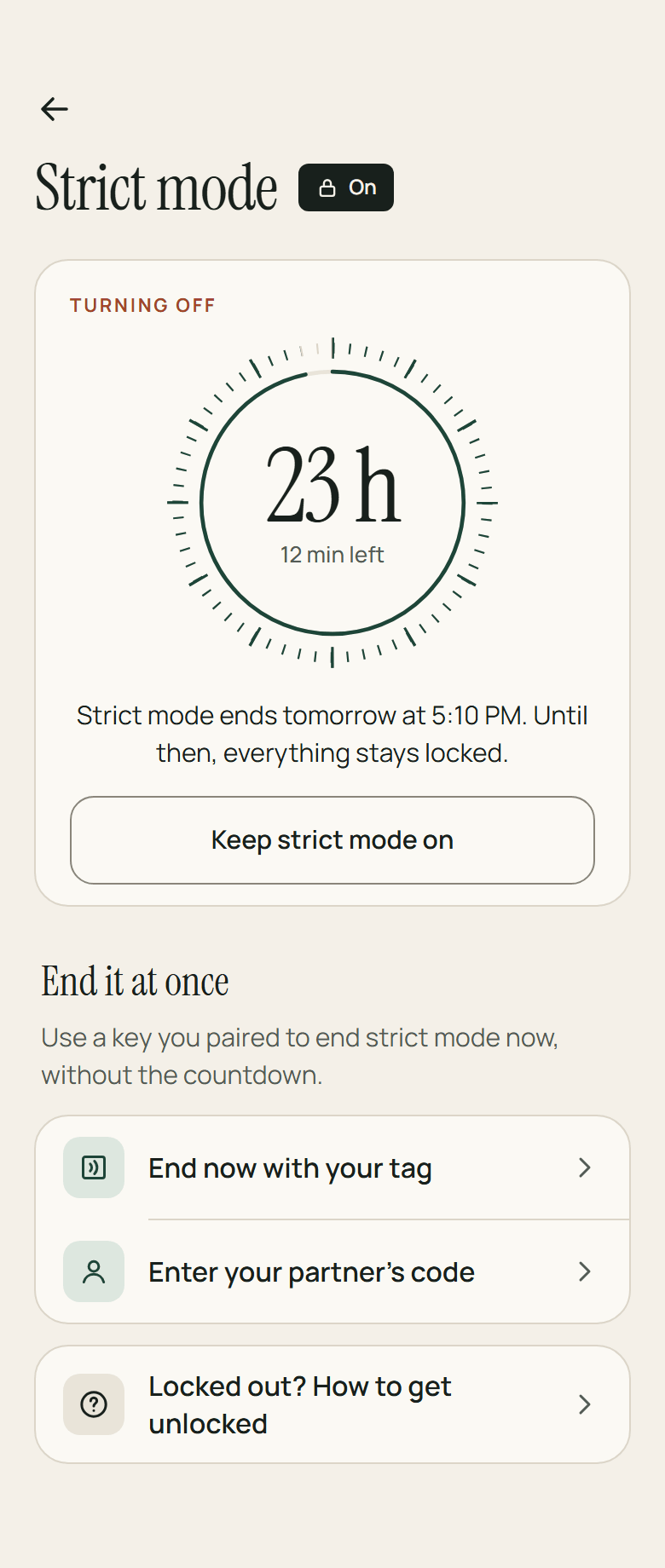
Strict mode is for when willpower runs out. While it is on, nothing can be loosened — and there is still always a way out.
Loosening is locked. Lists, schedules and limits that are on cannot be weakened, and a focus session cannot end early. Tightening is always allowed.
Turning it off takes a cooldown. One you chose in advance, from an hour to seven days.
Or end it at once. An NFC tag you set up, or a one-time code from an accountability partner.
The clock does not shorten it. Changing the time or the time zone does not move the cooldown.
The fair way out. The cooldown needs nothing but time, and never more than a week. It is always there.
Not using strict mode? There is a lighter settings PIN. Five wrong tries pause entry for five minutes, and a forgotten PIN is removed 24 hours after you ask.
What it does not claim
Everything above is something LockIn does. These are the edges — what it asks for, what it will not touch, and where it stops.
Blocking inside an app means reading it, so LockIn runs as an accessibility service — one of the broadest permissions Android has. Google Play requires a disclosure before you grant it, and LockIn shows it. Nothing it reads leaves the phone.
The phone, messages and maps apps, and LockIn itself. Banking and Settings can be picked, but they are never suggested.
Some phone makers close apps in the background — Xiaomi, Samsung, Oppo, Vivo and Infinix among them. LockIn cannot prevent that. It can notice: Home says the phone closed it and offers a way to keep it running.
Short-video detection depends on how each app lays out its screen, so an app update can break a match until the rule pack catches up. That is why the rules are data.
Strict mode always ends: after the cooldown, a week at most. That ceiling is deliberate.
Free and Pro
Free
- One block list, up to five apps
- One schedule
- Focus sessions
- The pause on the block screen
- Short-video blocking in one app
- Daily time limits
- Backups
- The Quick Settings tile
- Strict mode, with a fixed 24-hour cooldown
Pro
- Unlimited lists, apps and schedules
- Every short-video app
- Websites and keywords
- The phrase and locked levels
- Limits on the number of opens
- Redirect mode
- A block screen of your own
- NFC and partner unlock
- Your choice of strict cooldown
Pro is monthly, yearly with a seven-day trial, or once for life, through Google Play. There is a Restore purchases button, and nothing is deleted when Pro ends.
Status
Still being built, and not on Google Play yet. There is no store link on this page until there is a listing for it to point at.
- JSON, through the file picker
- that file only
- paper · lamplight
- none